i-vote Sweden
Case study
- Work
- UX research, UI design, Prototyping
- Made as
- Personal project
- Platform
- Prototype, in Figma
A self-initiated UX study from 2022 exploring what an online voting experience could look like alongside in-person voting in Sweden.
I carried out interviews and a survey, developed user flows and built a Figma prototype for usability testing. The work focuses on how people understand the process, find help and respond to questions of trust and accessibility. It is a design exploration, not a functioning voting system or a validation of election security.
01
Empathize
Inspiration board, research, personas, target
Research
I began by looking at digital public services and the questions raised by internet voting. Familiar online tasks, such as filing a tax return, provided a useful starting point for interviews, but voting raises its own questions about secrecy, verification and trust.
For this study, I used that context to frame a design question: how could a voting interface make its steps and limitations understandable? The prototype does not establish whether the underlying system would be secure or suitable for a real election.
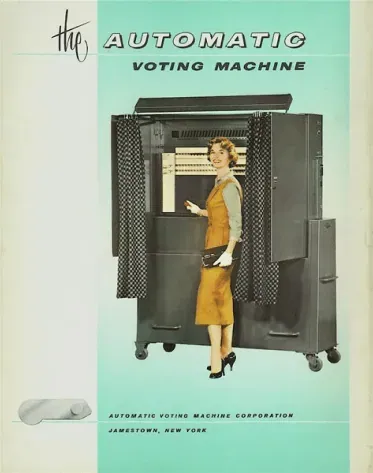
Security
Participants repeatedly raised security and anonymity. I explored how the interface could explain each step and make confirmation understandable. A reassuring interface alone cannot demonstrate that a voting system is secure.
Accessibility
I explored language choices, contextual help and accessibility controls so that people with different needs could find a way through the process. These ideas would need further testing with the people they are intended to support.
Usability
The flow needs to be understandable to people with very different levels of digital experience. I focused on clear steps, visible choices and access to help throughout.
Potential benefits of internet voting
The study explored whether an additional voting channel could help people who face travel, mobility or distance barriers. These were possibilities to investigate, rather than outcomes demonstrated by the prototype.
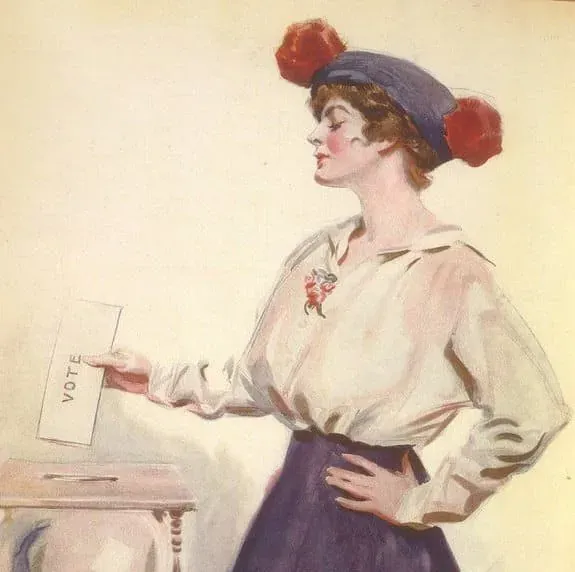
Target
I considered people of different ages, levels of digital confidence and reasons for voting remotely. The personas helped me explore those differences without assuming that one interface or device would suit everyone.
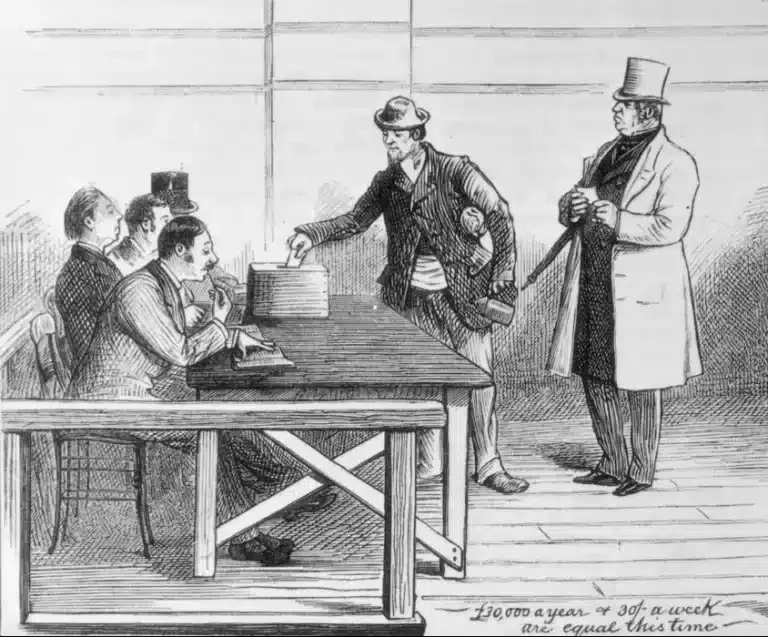
Personas
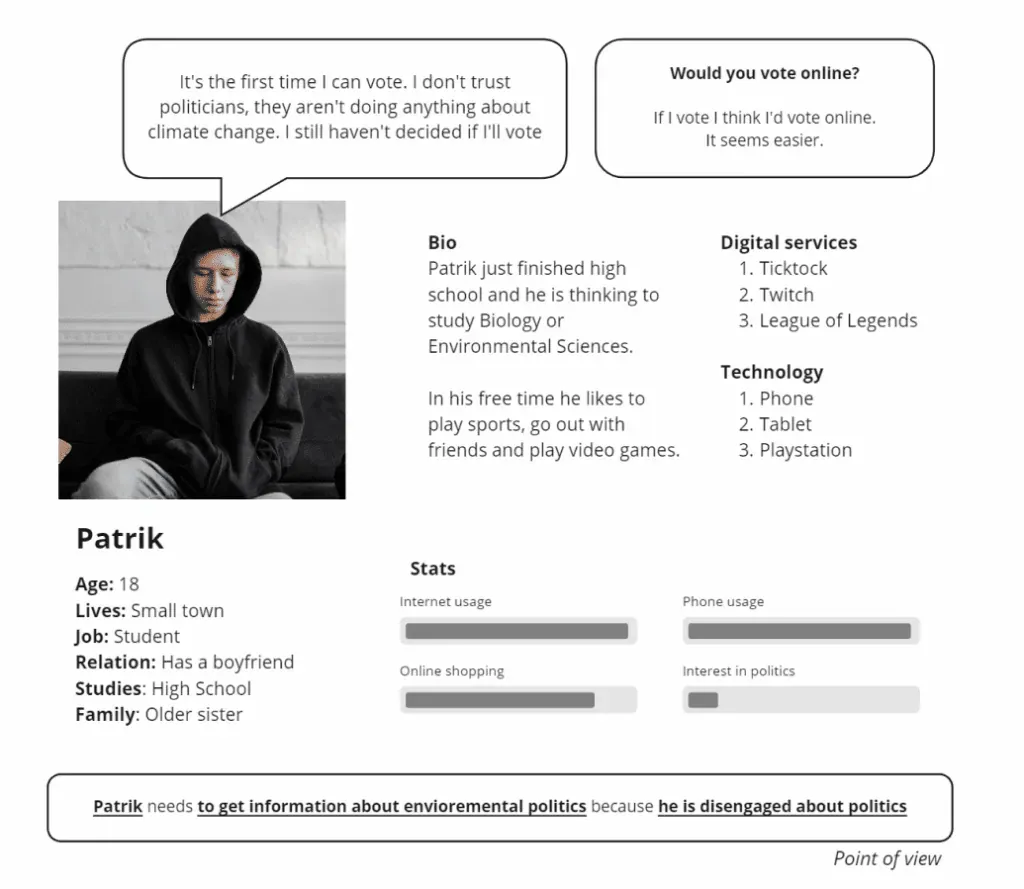
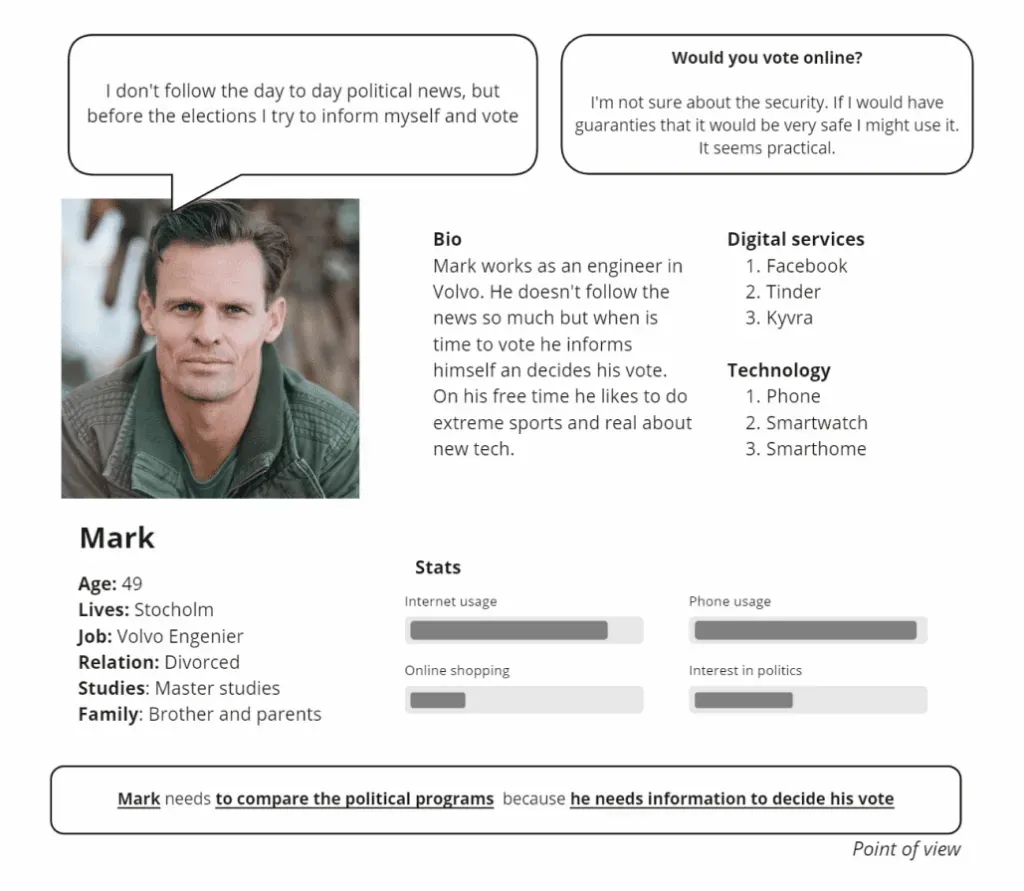
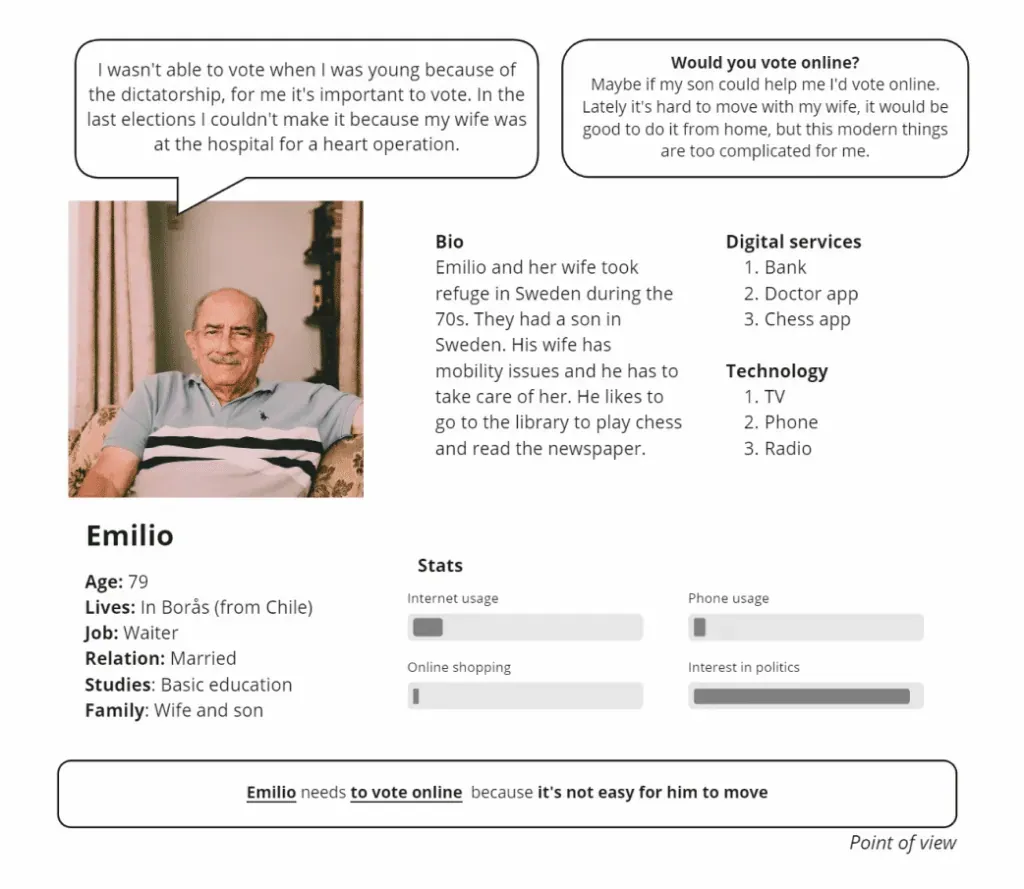
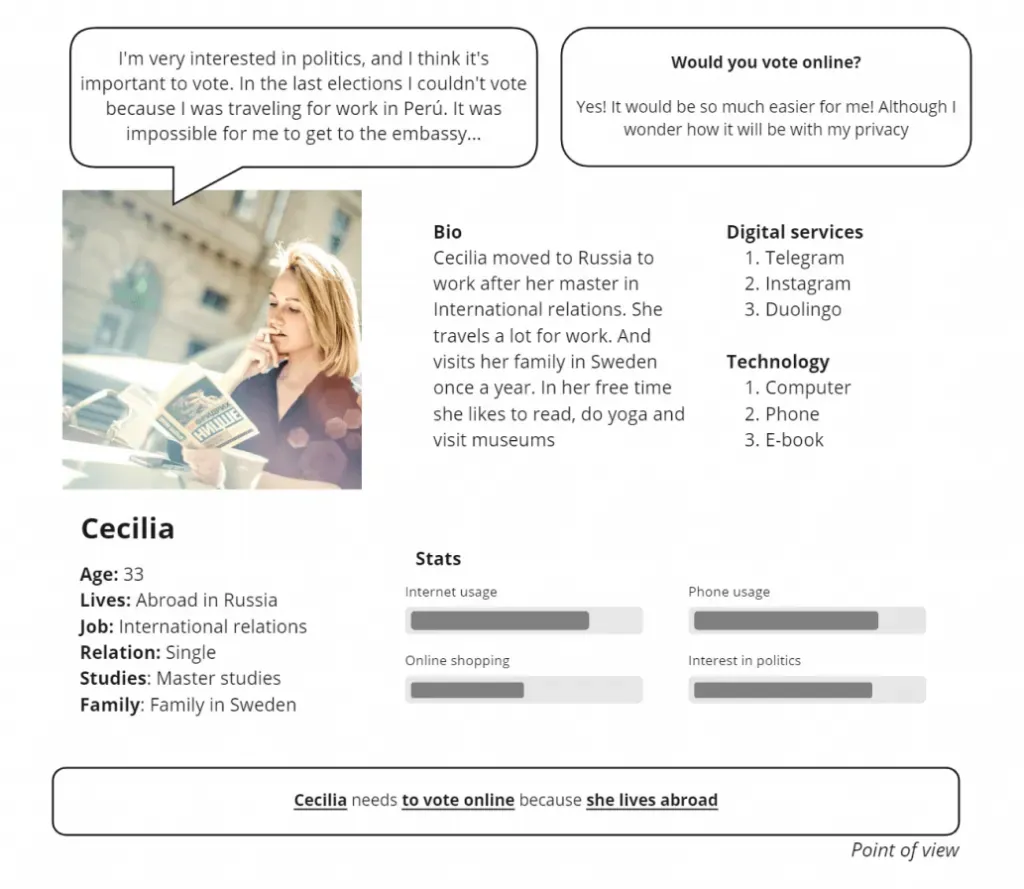
02
Define
Interviews, survey, findings
Qualitative interviews
1. What do you use your phone for?
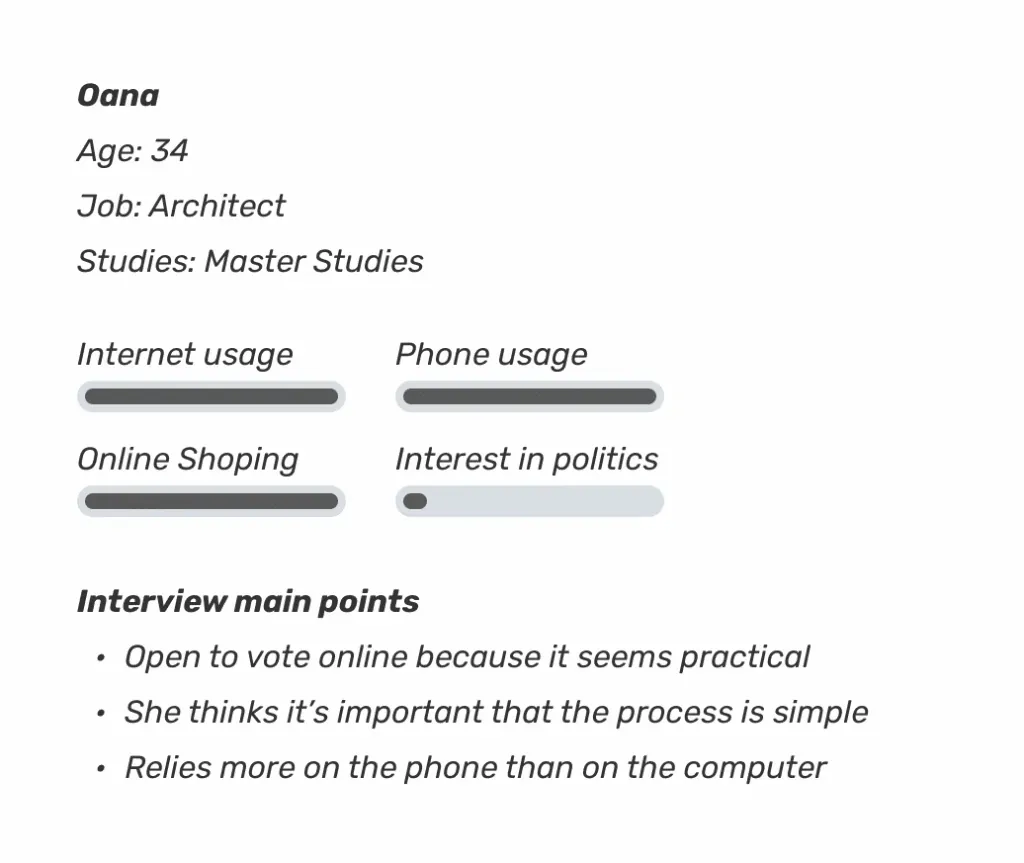
Oana: Reading news, social media, photos, shopping. Buys more with the phone than the computer.
Pere: Whatsapp, read news, twitter, podcasts
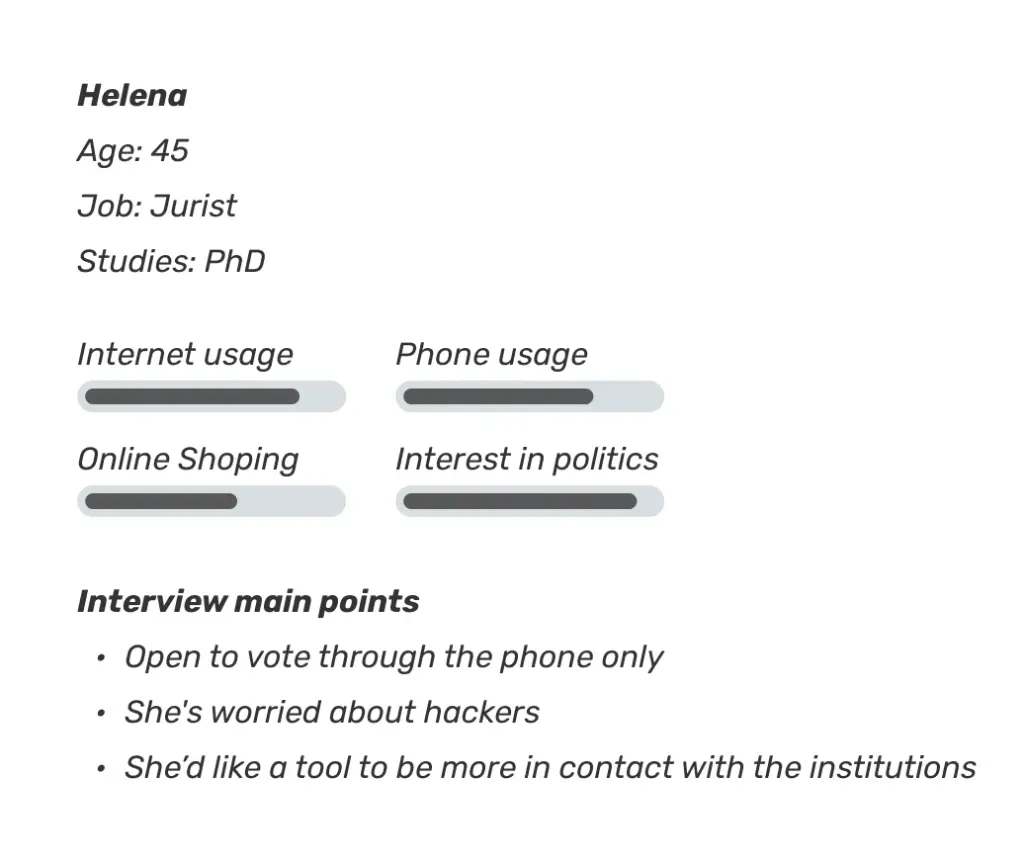
Helena: Whatsapp, read news, music.
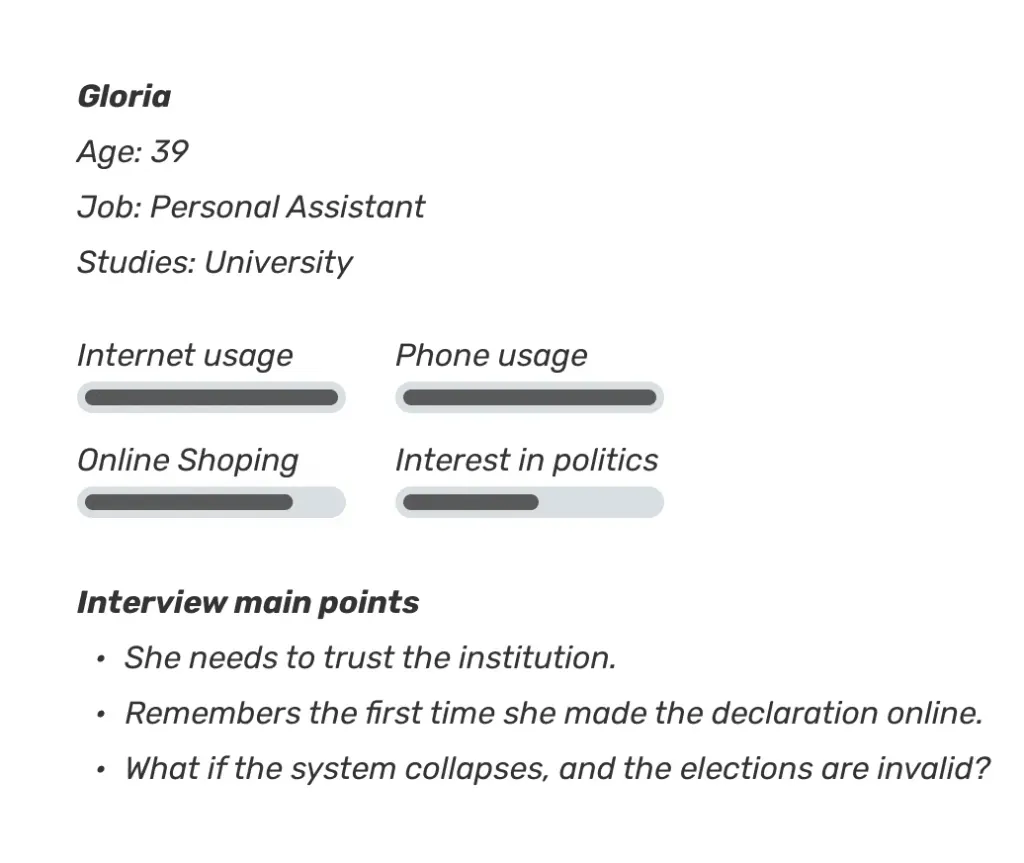
Gloria: Contact friends, social media, google search
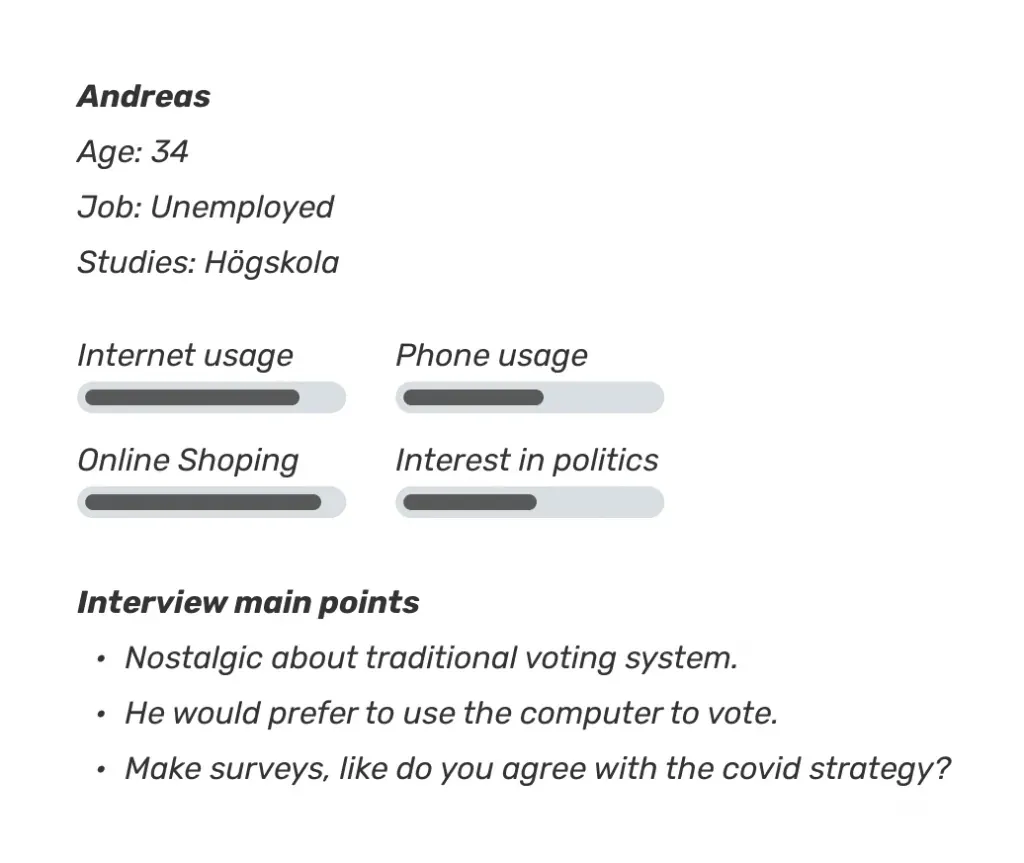
Andreas: Contact friends and family, listen to music or podcasts, search when I need.
2. Do you buy online? How often? Through what device?
Oana: At least every month
Pere: Not so often and usually from the computer, last month the keyboard of my computer broke and I had to buy a replacement from the phone, sometimes I’ve bought plane tickets from my phone also, but if I can I use the computer.
Helena: Sometimes clothes for my kids with my phone. and to buy all my flights I use the phone.
Gloria: Yes, farmaceutical products, and now with the pandemic even more. Only from muy phone.
Andreas: Yes at least once a month, both from my computer and phone, depending on what store.
3. Do you make your tax declaration online?
Oana: Online from the phone through the skateverket app. I’ve never have done it with paper.
Pere: The last time, I did it on paper
Helena: I’ve only done it online.
Gloria: Yes from my phone, the first time they opened I think it was 6 or 8 years ago, I still remember when I had to do it with paper, it was so had…
Andreas: Yes, from my computer.
4. Do you usually vote? Would you like being able to vote online? Why?
Oana: I usually vote, it would be very convenient to vote online
Pere: Yes, I usually vote, but the last elections I couldn’t because I was traveling. It would be useful like to do it online, because last time I couldn’t vote.
Helena: Yes, I usually vote, It would be useful like to do it online, why not?
Gloria: Yes I usually vote. I’m from Mexico and there I wouldn’t trust the institutions, but in Sweden I’d feel much safer. Maybe the first time it would be weird, like the first time i did the declaration online.
Andreas: Yes I usually vote. I’d be a bit skeptical first, I understand that it can be practical. But I like the feeling of voting, going there, seeing the people, it’s some way to connect.
5. Through what device would you vote?
Oana: Phone or computer it doesn’t matter, or even some machine at the voting stations.
Pere: Through the computer
Helena: Maybe with the phone.
Gloria: The phone, I don’t have a computer right now
Andreas: Computer, it feels nicer.
6. Would it be ok if you could do it through your phone?
Oana: Not sure
Pere: I don’t know, I’d also like to vote from the computer
Helena: Meanwhile there’s the classical system, just with the phone it could be a start.
Gloria: Yes
Andreas: I wouldn’t mind, but if I could do it from the computer better
7. What do you think is the most important for voting online?
Oana: Security and simple process
Pere: Security, and confidentiality and control over the system
Helena: I’d be worried about the hackers.
Gloria: What if the system collapses? And then they need to repeat elections? For a hacker attack or just an informatic mistake.
Andreas: If it’s really trustable, if it doesn’t work it could be a really big problem.
8. Beside casting your vote, what other functionalities would you like the service to have?
Oana: Read and compare different parties programs, but mainly to be quick.
Pere: There could be tools for the citizens to exercise of political rights or create popular initiatives.
Helena: Agenda of the campaign, results, follow the counting. And maybe participate more than just every 4 years by doing referendums, or make tools for the population to be more in contact with the institutions.
Gloria: Statistics, electoral census, and more participation in general.
Andreas: To get people opinions or ask questions to the populations, like do you agree with the covid strategy.
Interviews overview
Survey findings
These observations describe the responses collected for this project. They are exploratory findings from the study sample, rather than representative conclusions about Swedish voters.
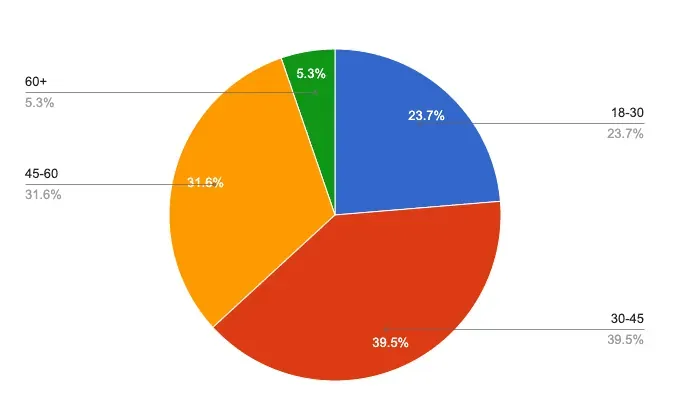
1. How old are you?
In this survey, respondents aged 30–45 showed particular interest in online voting and using a phone to vote.
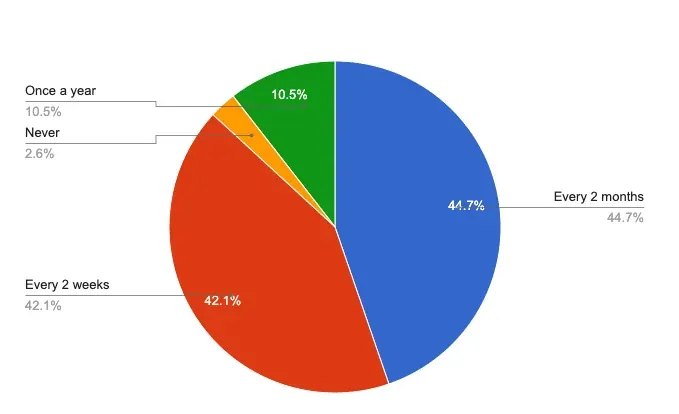
2. How often do you buy online?
Frequent online shopping did not necessarily mean confidence in online voting. Familiarity with one digital task did not remove concerns about another.
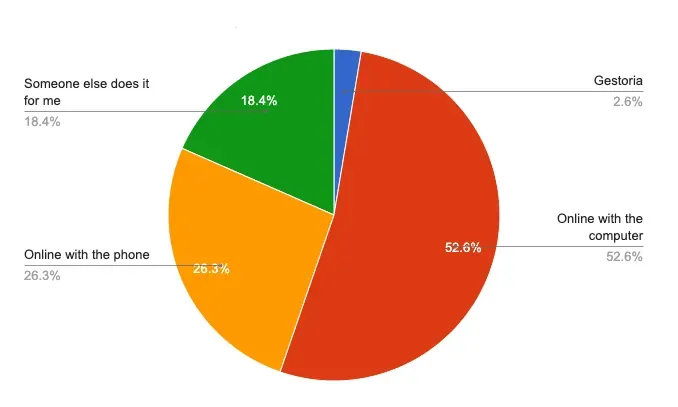
3. How do you make your tax return?
The responses did not show a clear link between the device used for tax returns and the preferred device for voting.
4. How interested are you in political news?
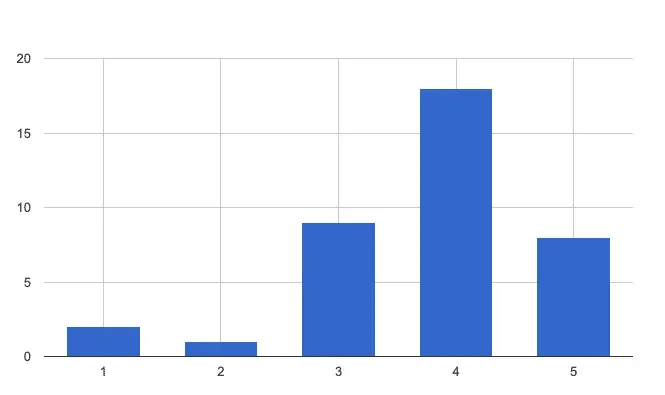
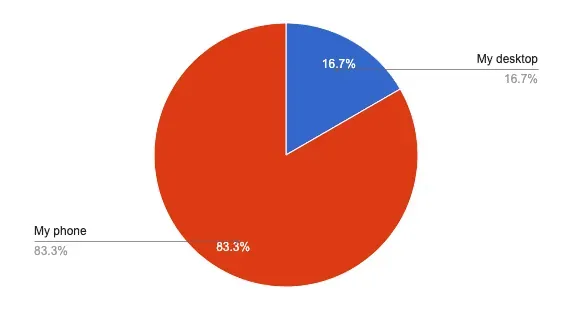
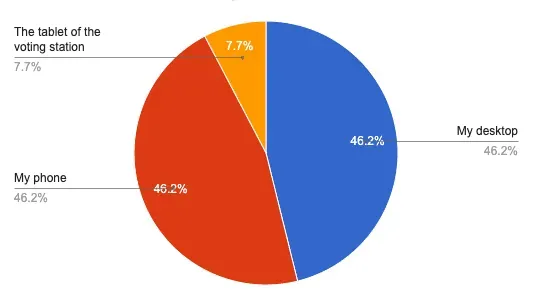
The responses suggested differences in preferred devices and security concerns across levels of political interest. I treated these as questions for further research, rather than fixed audience traits.
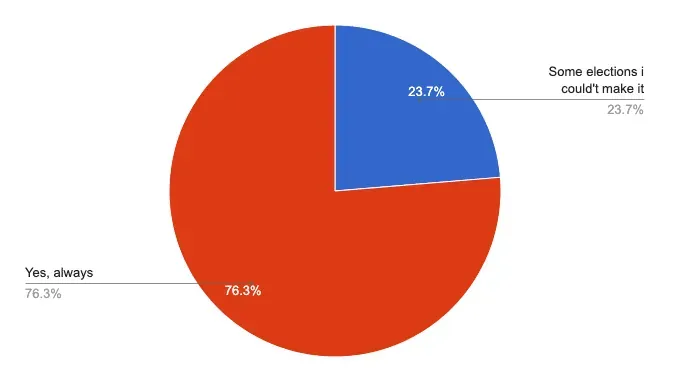
5. Do you usually go to vote?
Respondents who regularly voted also expressed scepticism about online voting. Convenience was not the only consideration.
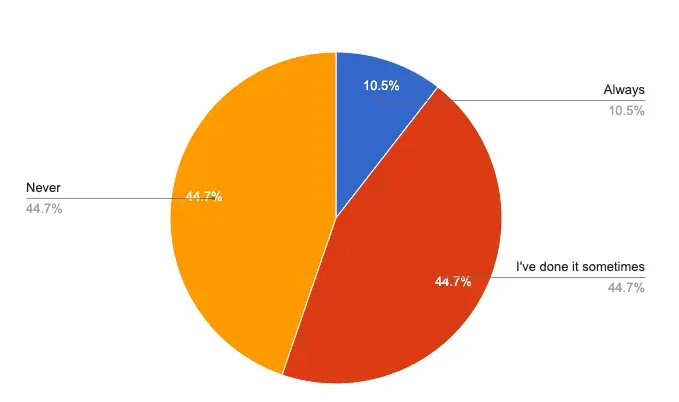
6. Have you ever voted by post?
Respondents with experience of postal voting showed interest in another way to vote remotely.
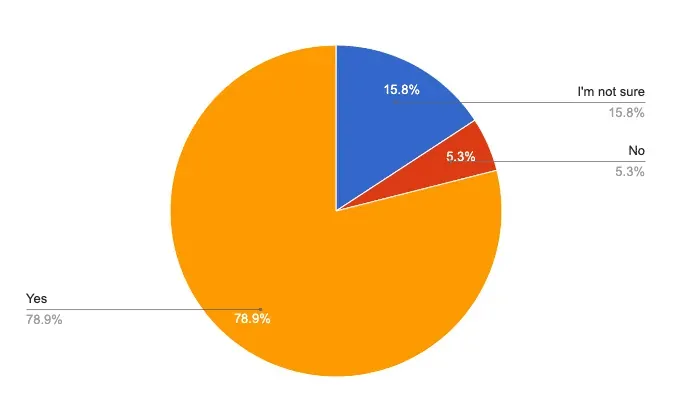
7. Would you like being able to vote online?
Interest varied across age groups in this sample. The 30–45 group was particularly open to the idea, while the 45–60 group expressed more uncertainty or opposition.
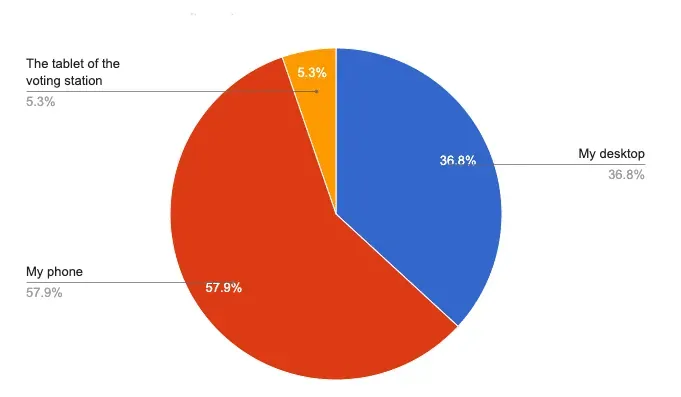
8. I would most likely vote online using:
Phones were the most popular choice overall, but there was also substantial interest in using a computer. The findings supported exploring both formats.
9. Would you like to vote online? Why?
Most interesting answers for YES:
- Nothing I thought of before but now when you ask the question it would make it easier.
- I think it would make it more accessible.
- Much easier and faster.
- For those who can’t go in person … Illness, age …
- Because I live abroad and voting by post is not always reliable, it gets delayed, and too many other problems.
Most interesting answers for NO:
- It adds complexity to maintaining the integrity and transparency of elections.
- I like to meet People
Most interesting answers for MAYBE:
- Doubtful about keeping the voting anonymity.
- Online systems are easier to hack.
- It will be easier and more practical but on the other hand who controls and monitor your votes?
- The election day is ritual that remind you of your rights and obligation in a democracy, I am not so sure it would be positive addition to undermine and simplify it this way. Maybe more of an addition for people that can not attend that day, like post voting.
10. What do you think is the most important for an online voting system?
This was an open question and the word SECURITY appears in 95% of the answers:
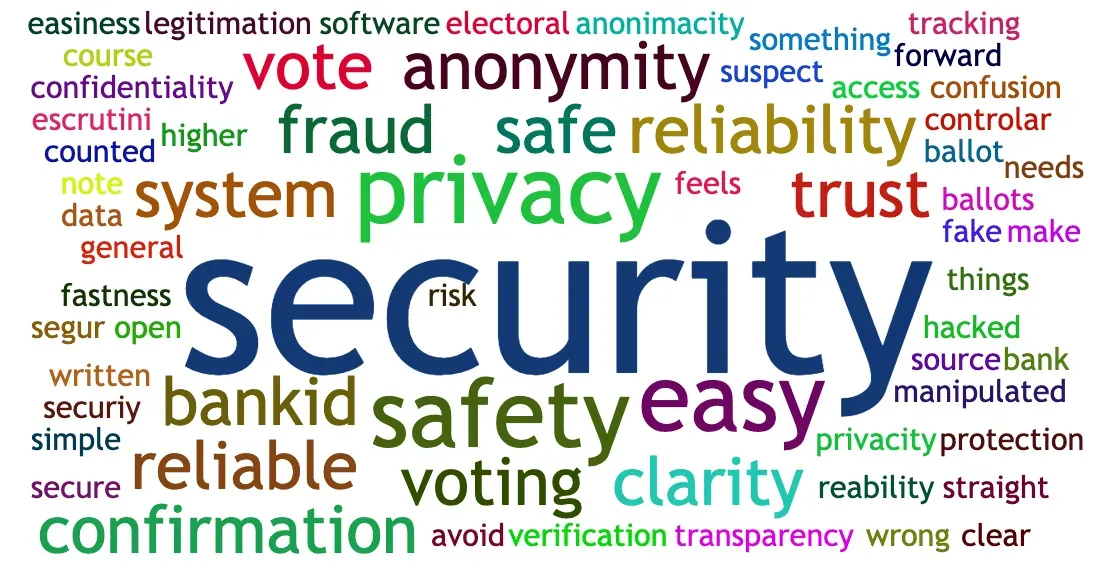
Most interesting answers:
- Safety and reliability. I would suspect a higher risk of electoral fraud in general.
- Transparency and open source software that cannot be hacked or manipulated.
- Easy access, with something like bankID
- Two things: security ( avoid fake ballots or fraud ) and a written confirmation my ballot had been counted.
- Security and anonymity, easiness, and then it needs to be clear.
- That it feels safe.
- Trust and security.
- The tracking of my vote and the reliability of the system, and of course to make it easy!
11. What other functionalities would you like this service to have?
Most interesting answers:
- See pending bills, big political topics being discussed and what the parties think about them.
- Clear instructions on how to vote, access to stats ( census info of the country where I vote ) and eleccions results.
- Get information about the different parties, maybe a test that I can take before I vote so I know where I stand in different questions that makes it easier to vote. Maybe invite friends button to spread the word that you now can vote online (to help spread the word and to get more people to vote).
- Identity approval (like a BankId in Sweden)
- Security functionalities, such as a vote confirmation token, for example.
- Real time results of the elections
Interview conclusions
Security is the most important
Security and anonymity were central concerns in the interviews and survey. My design response was to make the steps and confirmation clearer, while recognising that understanding the interface is separate from validating the system behind it.
More than just voting
Participants also wanted information before and after election day: candidate lists, help and results. I explored those needs alongside the act of casting a vote.
Legal considerations
Some requested features went beyond what this UX study could resolve. I kept them as research questions requiring specialist review before any real implementation.
Age and digital confidence
Respondents aged 30–45 were particularly open to online voting in this sample. I used that observation to question assumptions about age and digital confidence, rather than generalising it to the wider population.
Nostalgia about traditional voting system
Some participants valued the social experience and ritual of voting in person. The concept therefore explored online voting as an additional channel, rather than a replacement for that experience.
Voting process and vote confirmation
I explored repeat voting and confirmation receipts as interface concepts. The aim was to understand what voters would need explained. Technical feasibility and privacy remained outside the scope of the interface study.
03
Ideate
Affinity mapping, sketches, crazy eight, user flows
Affinity Mapping
I grouped the research into themes to guide the prototype:
- Trust, secrecy and understandable confirmation
- Eligibility and device compatibility
- Information about parties and candidates
- Privacy and the data needed for each action
- Identification options
- Clear instructions and contextual help
- Language and accessibility needs
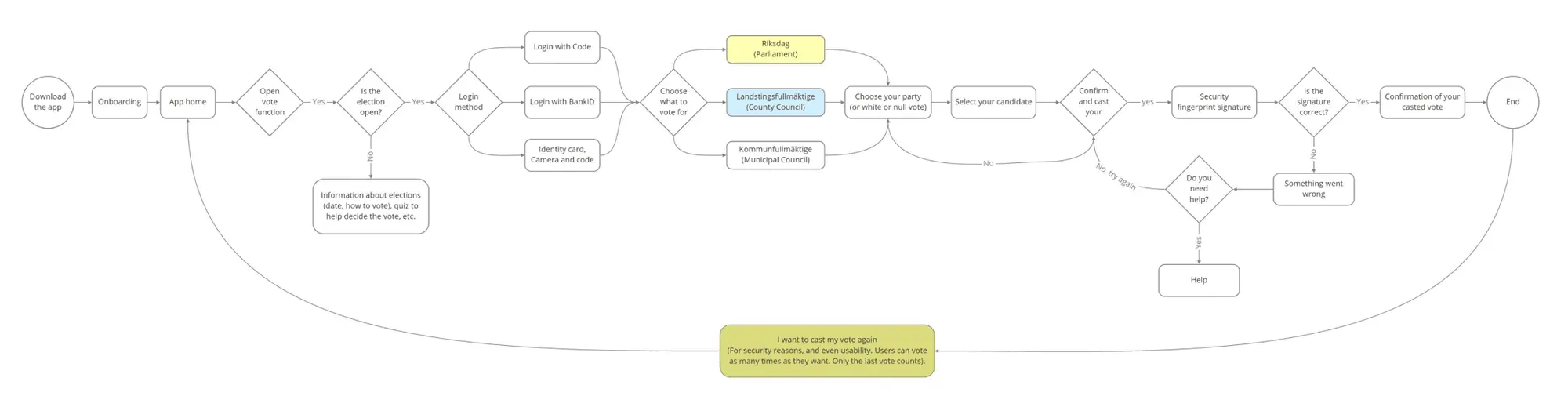
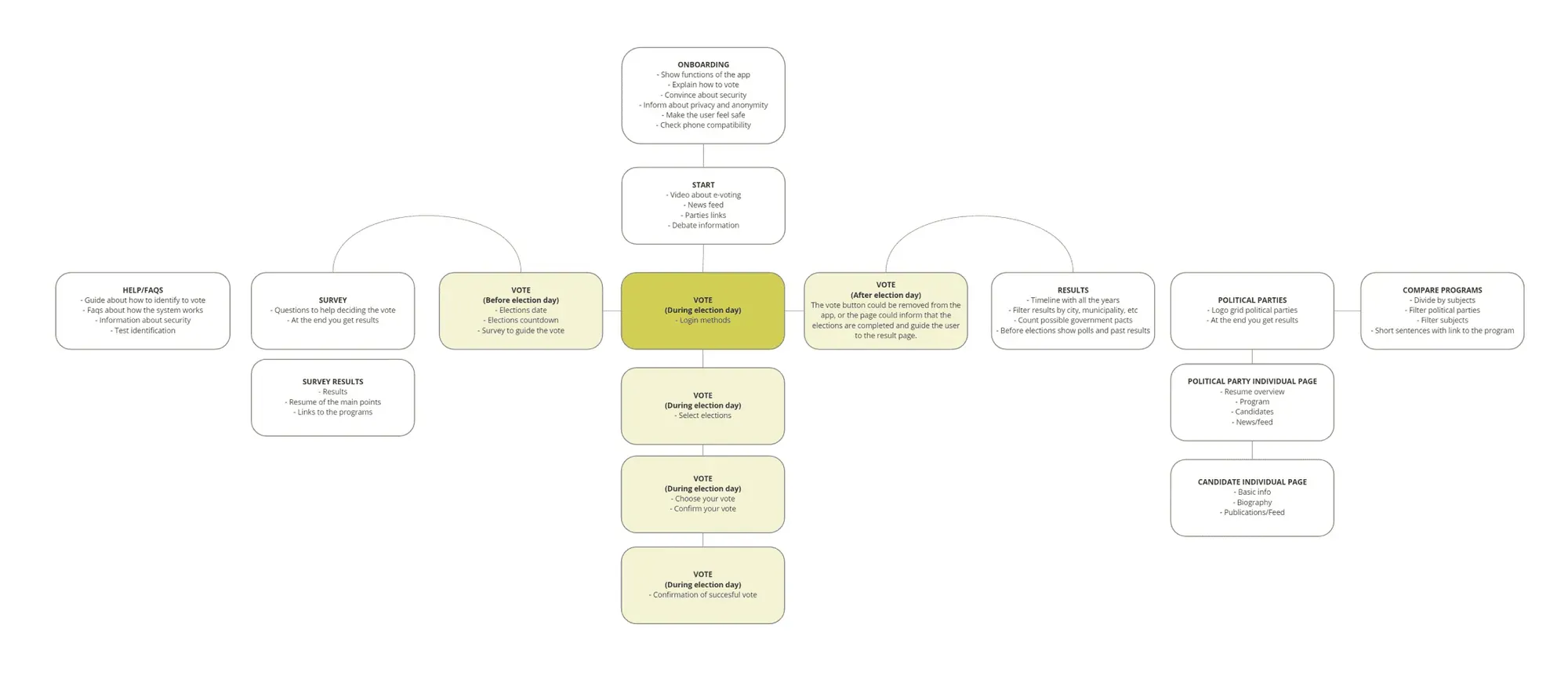
User flows
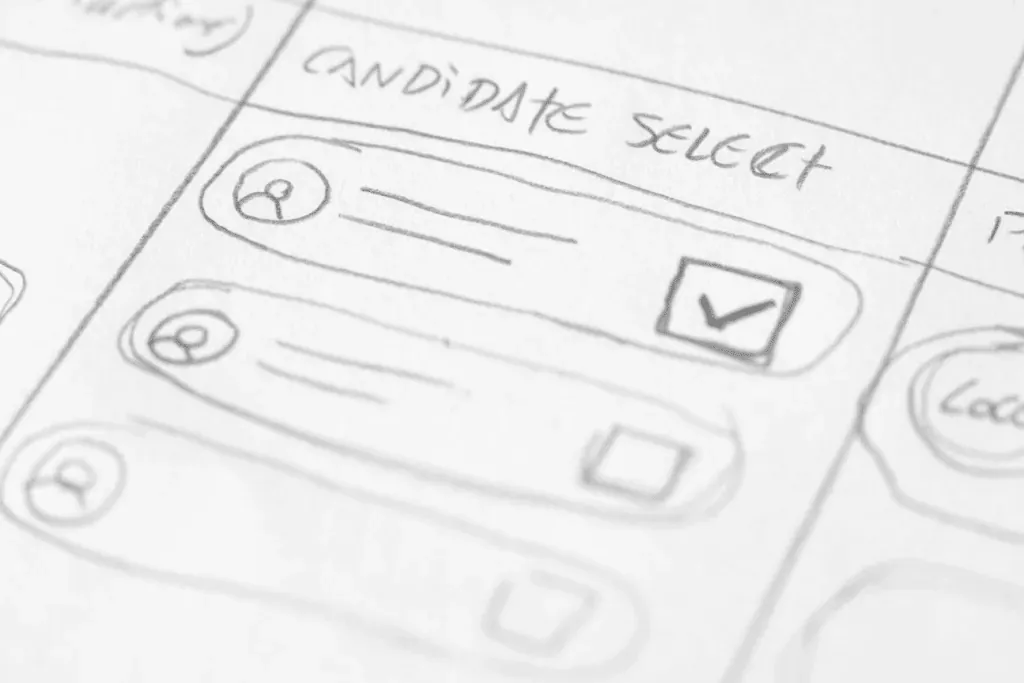
Crazy 8 sketches
04
Prototype
Design considerations, lo-fi / hi-fi prototype
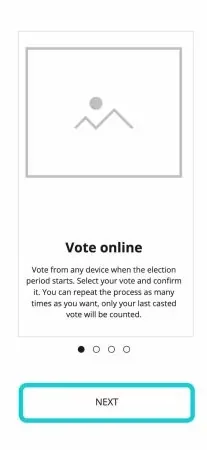
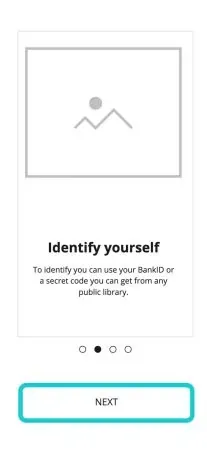
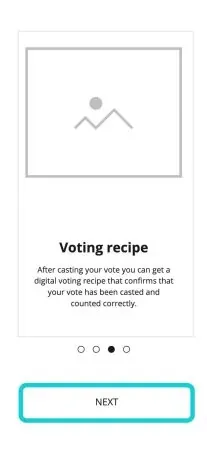
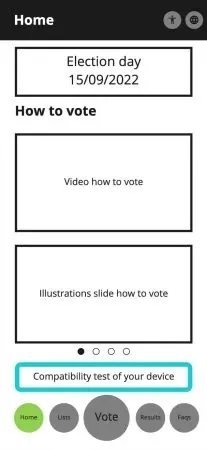
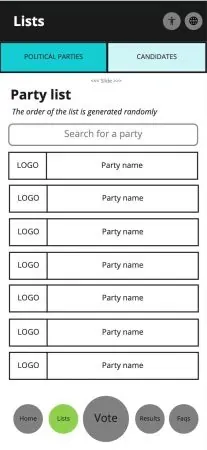
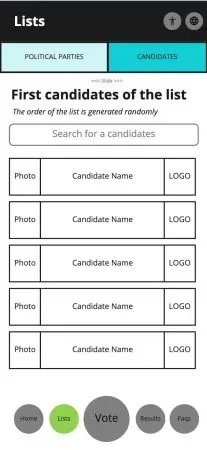
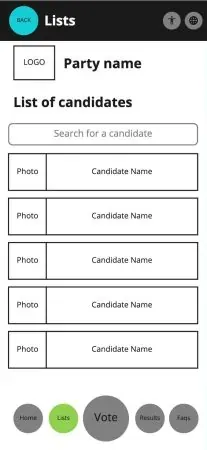
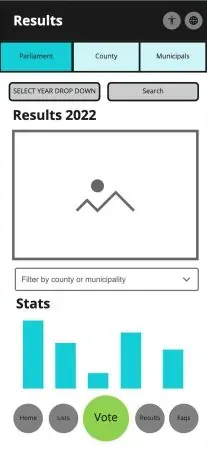
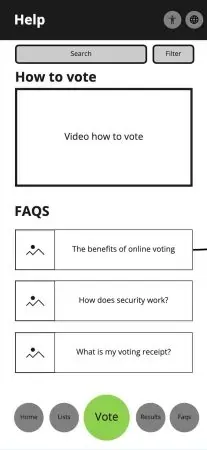
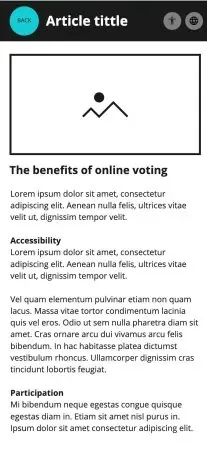
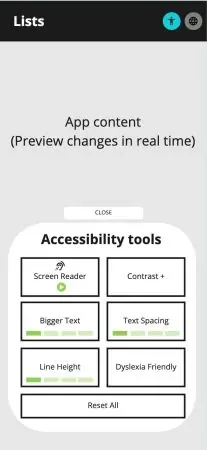
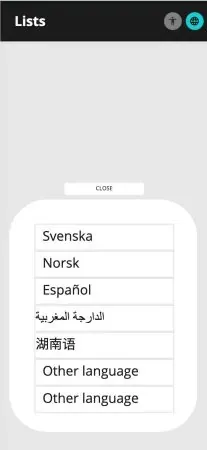
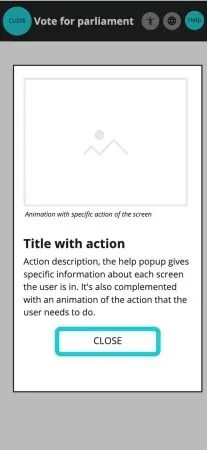
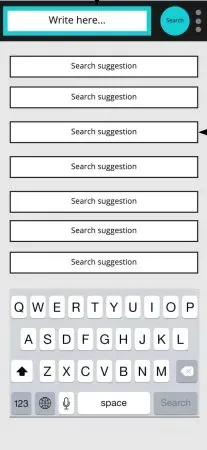
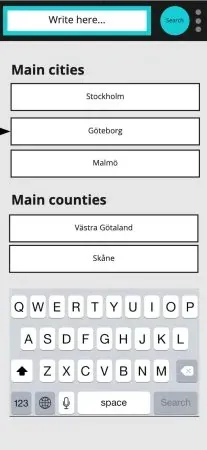
Lo-fi wireframes
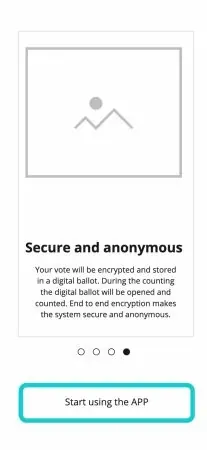
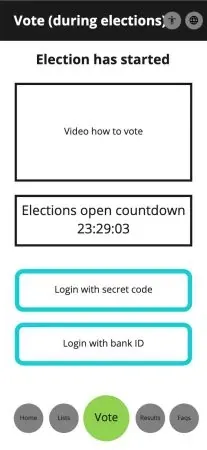
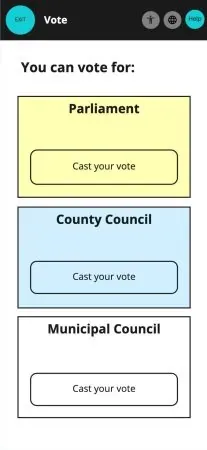
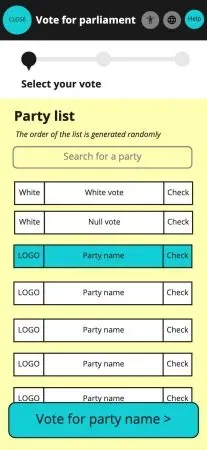
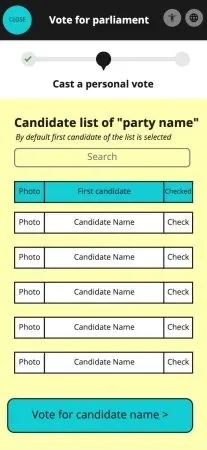
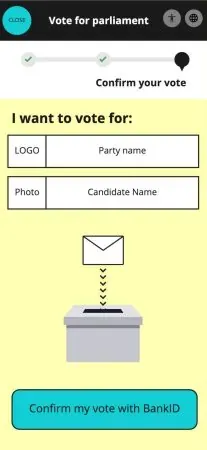
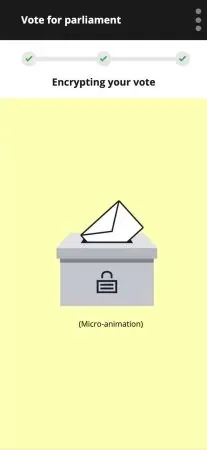
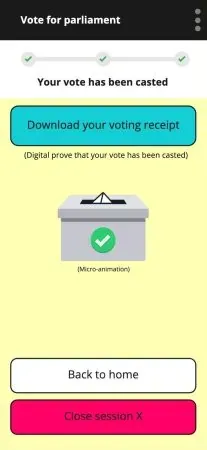
Hi-fi wireframes
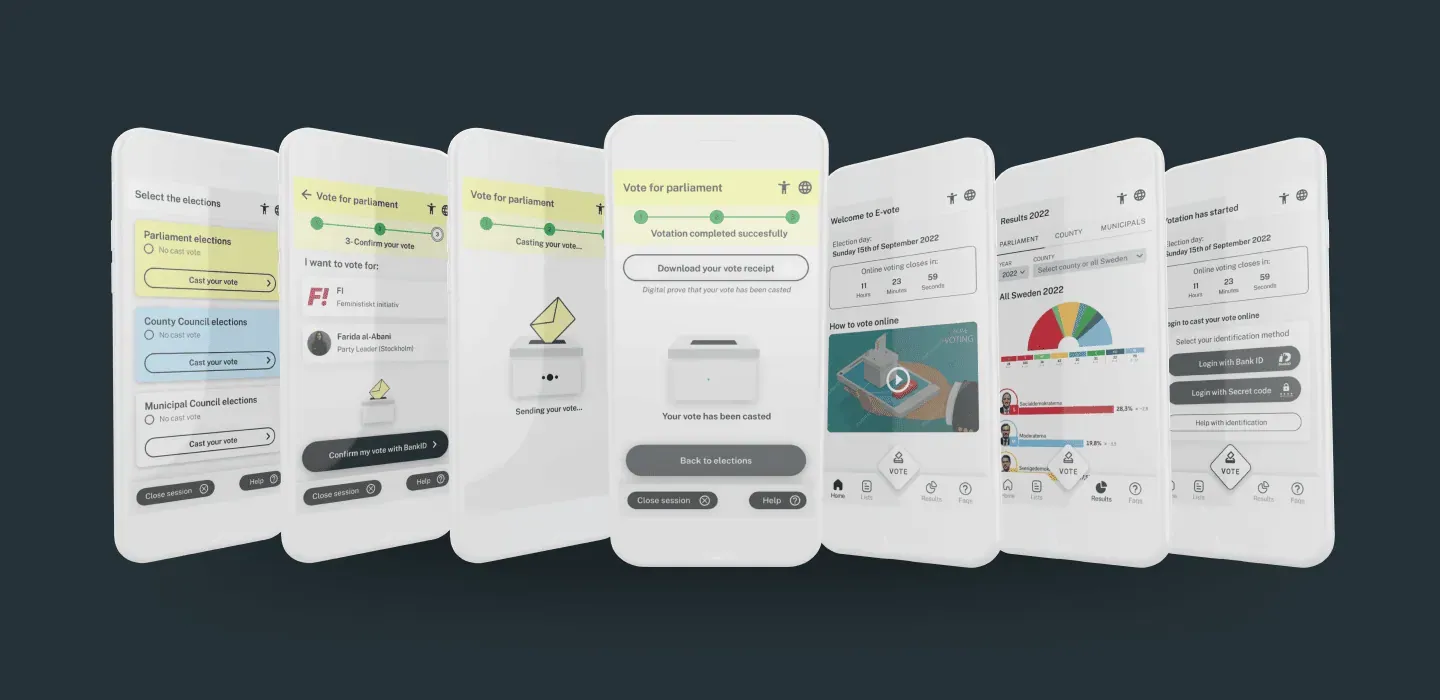
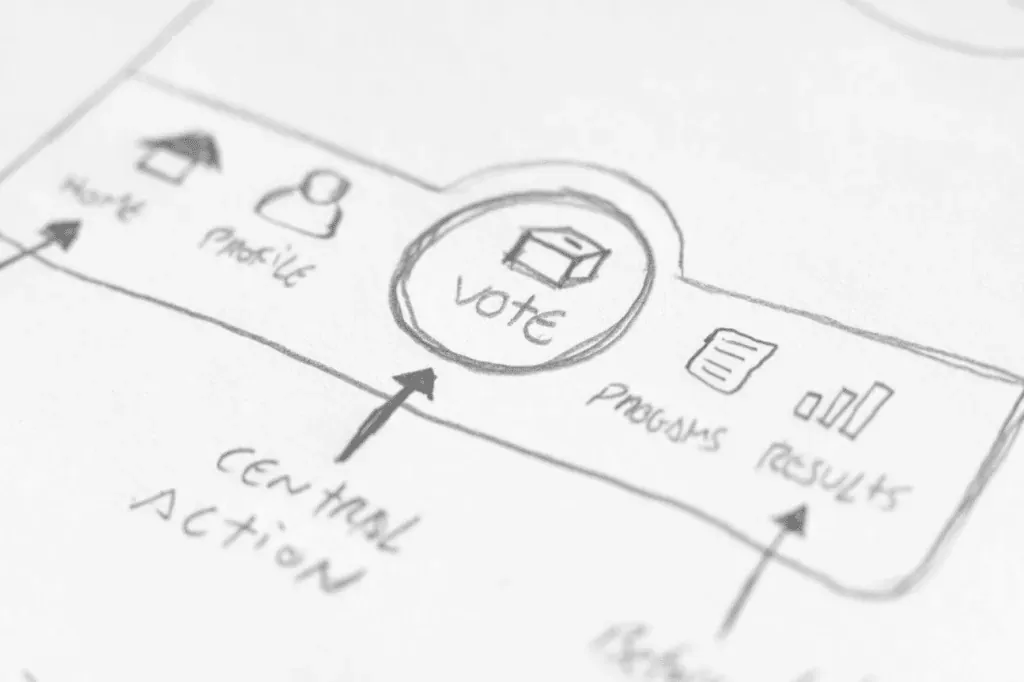
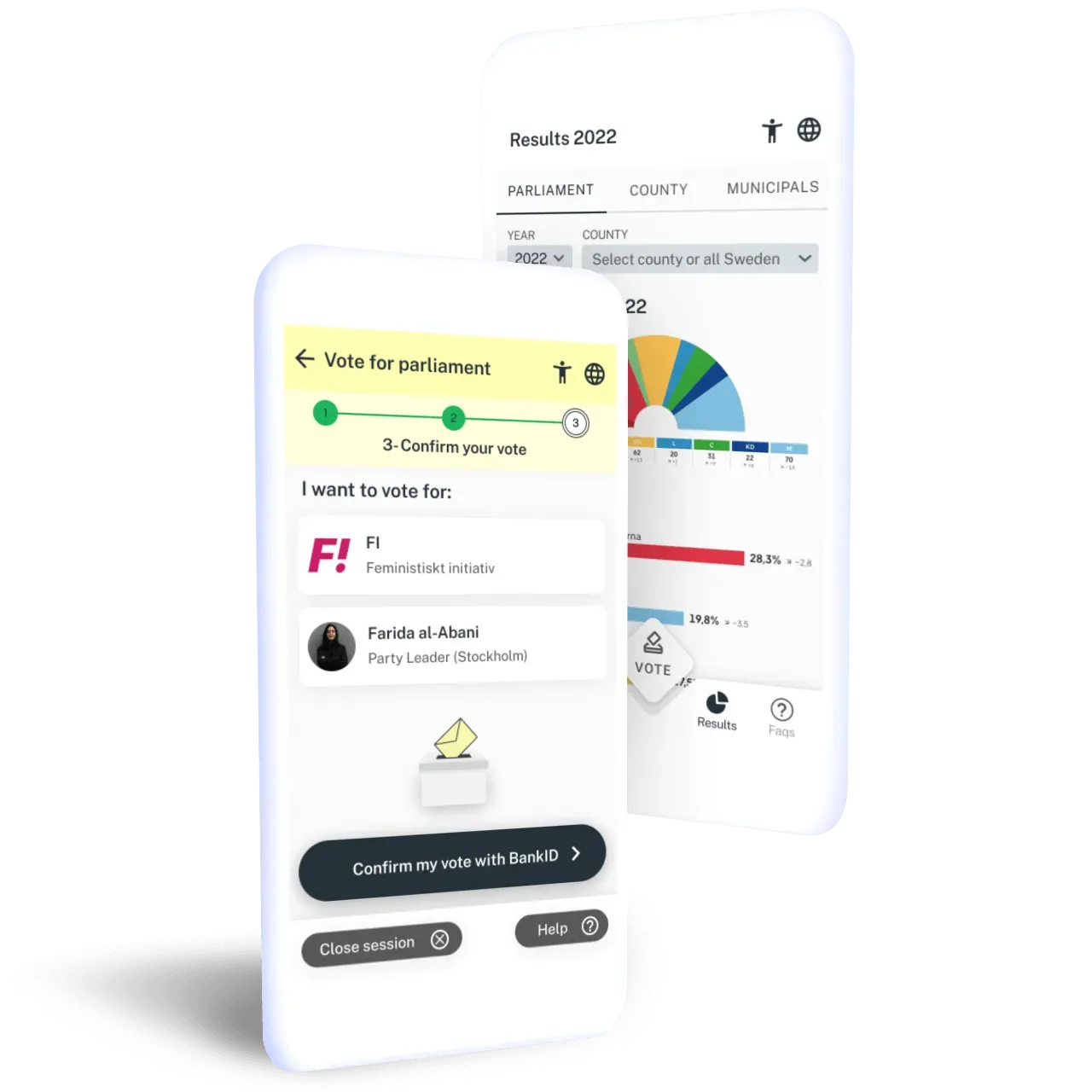
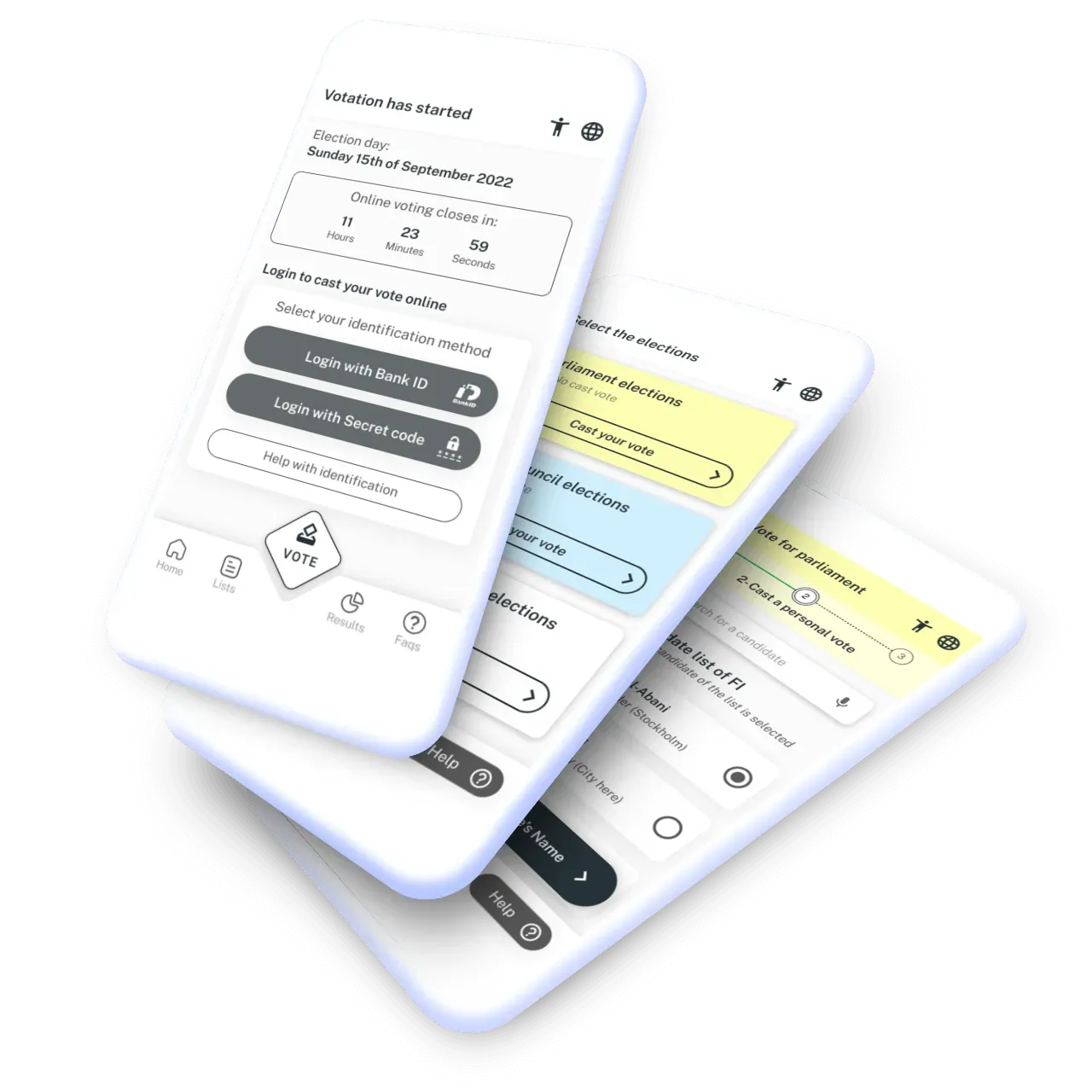
I developed a set of reusable components and a neutral visual style for the high-fidelity prototype. The voting button uses a diamond shape to suggest a ballot entering a box, a metaphor some test participants recognised.
The interactive prototype also let me explore the confirmation animation and test how people moved through the flow.
How to vote during the elections
Identification method
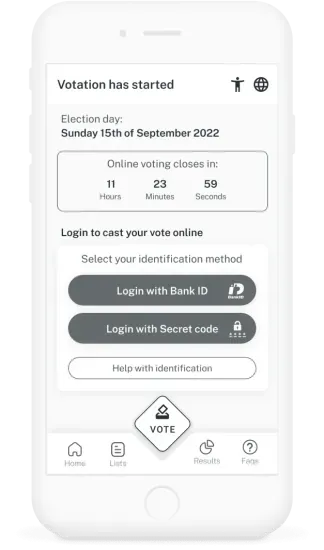
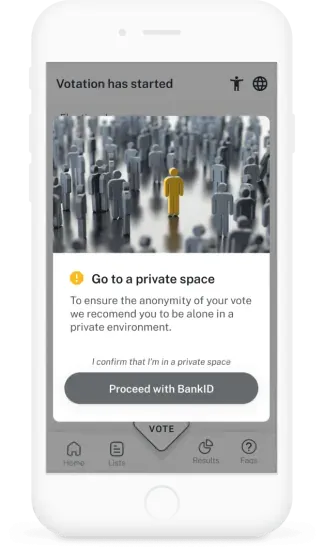
The prototype simulates identification with BankID. I also considered a separate access-code route, but did not develop it in the tested flow.
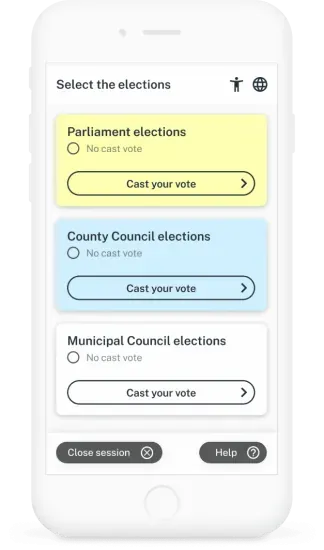
A reminder asks the voter to find a private space before continuing. The election choices use colours drawn from the physical voting materials as a point of familiarity.
The voting process
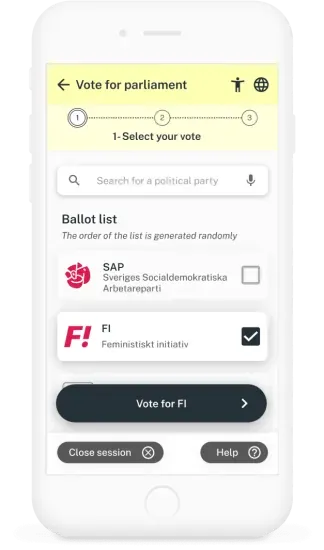
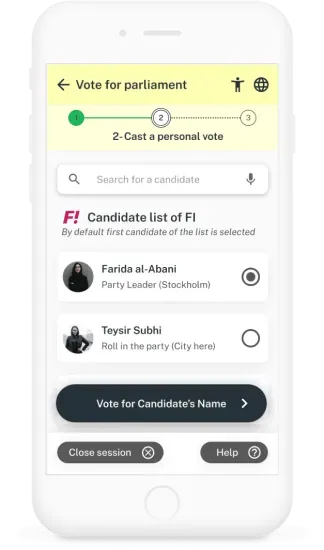
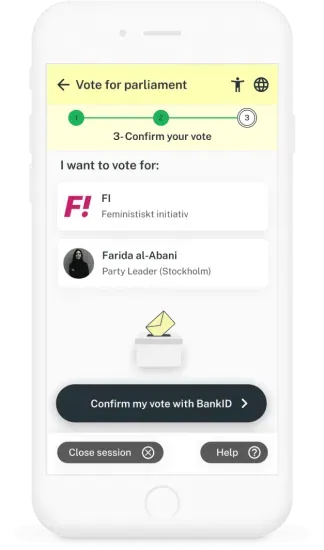
The flow separates choosing a party, selecting a candidate and confirming the choice. I also explored blank-vote options and a randomised party list as design ideas.
Help, language settings and a way to end the session remain available throughout. The prototype simulates these steps; it does not submit votes or connect to BankID.
Vote confirmation
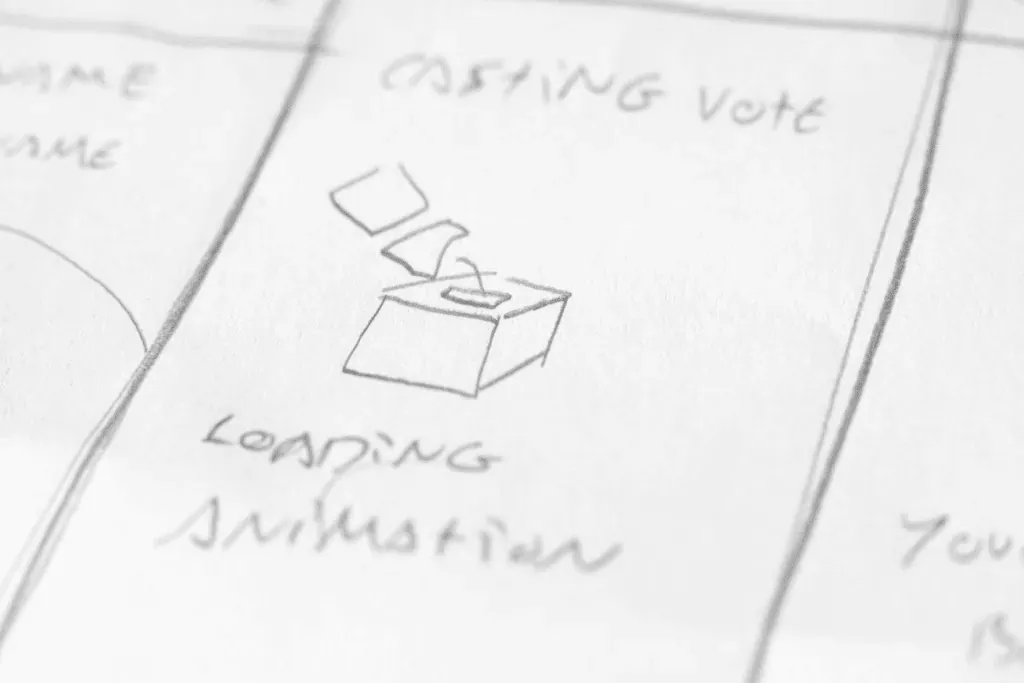
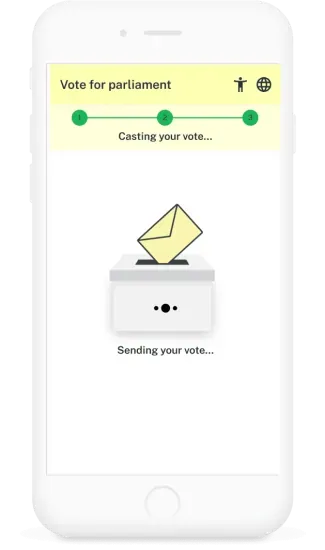
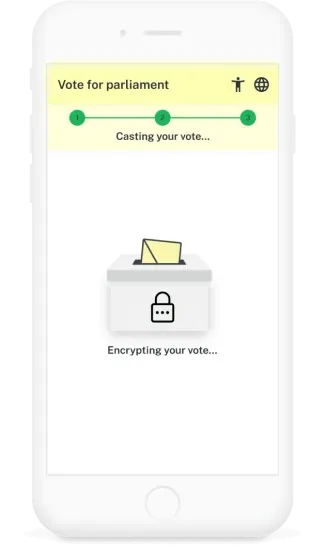
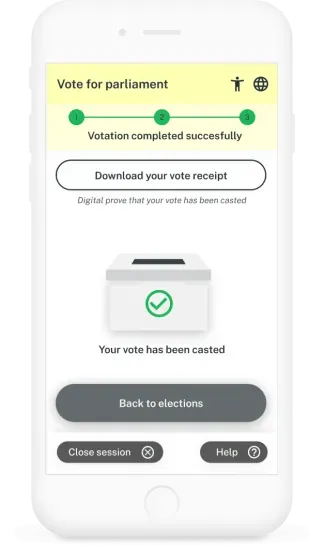
I designed a short animation to explain the proposed sending and confirmation sequence, followed by a receipt screen. From there, the user can return to the election choices or end the session.
I used the sequence to explore how to make progress and completion understandable.
Before and after the elections
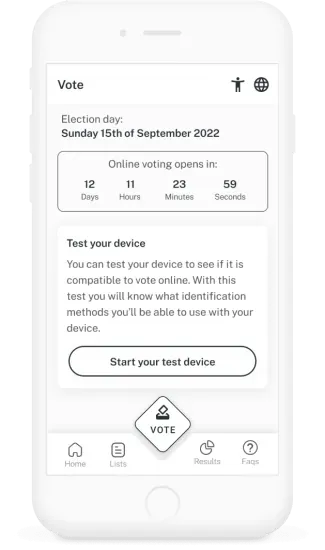
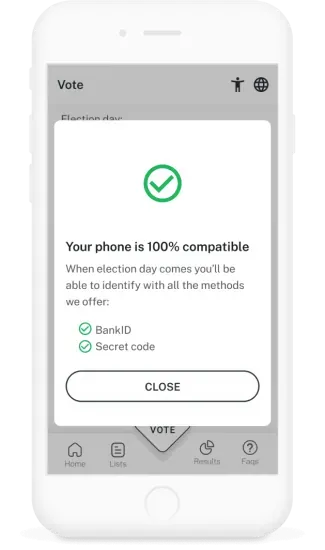
Compatibility test before elections
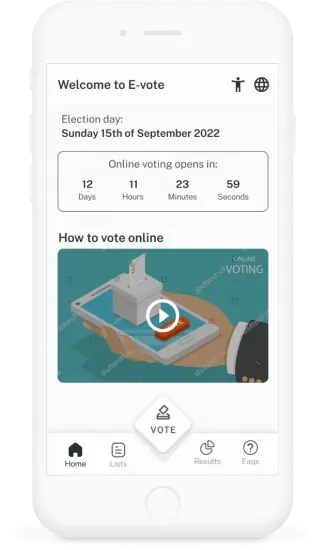
A proposed compatibility check lets people explore the identification options before election day. Other screens provide candidate lists, previous results, help and a countdown to the election.
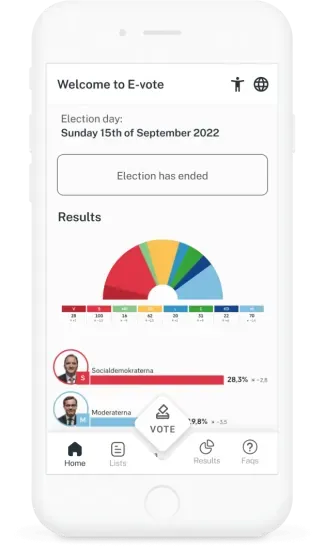
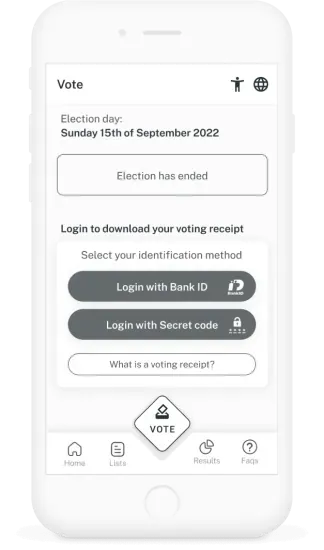
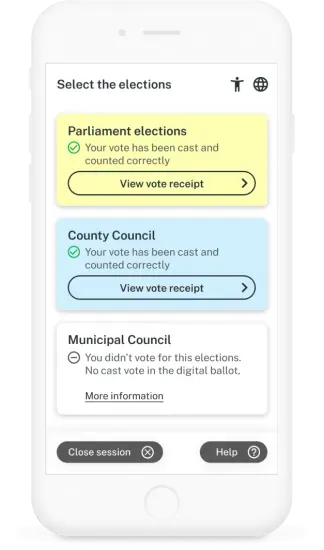
Vote receipt after elections
I explored a confirmation screen intended to indicate that a vote had been counted without displaying the choice. The design question was how to make confirmation useful without revealing the voter’s choice.
Electoral lists, results and faqs
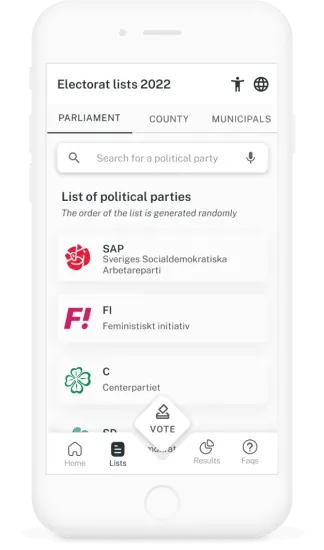
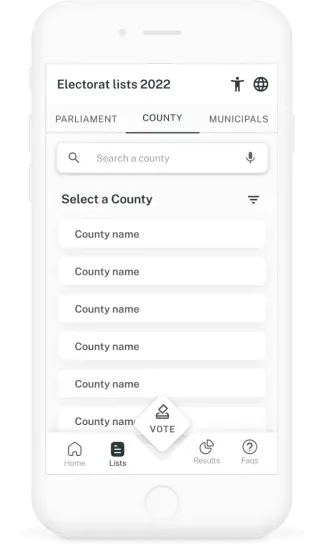
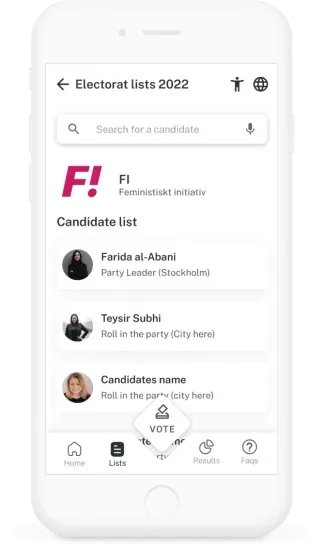
Party and candidates
The prototype includes party and candidate lists that can be viewed before identification. Participants also asked for programmes and biographies, which raised further questions about who would provide, maintain and approve that information.
Results, before and after
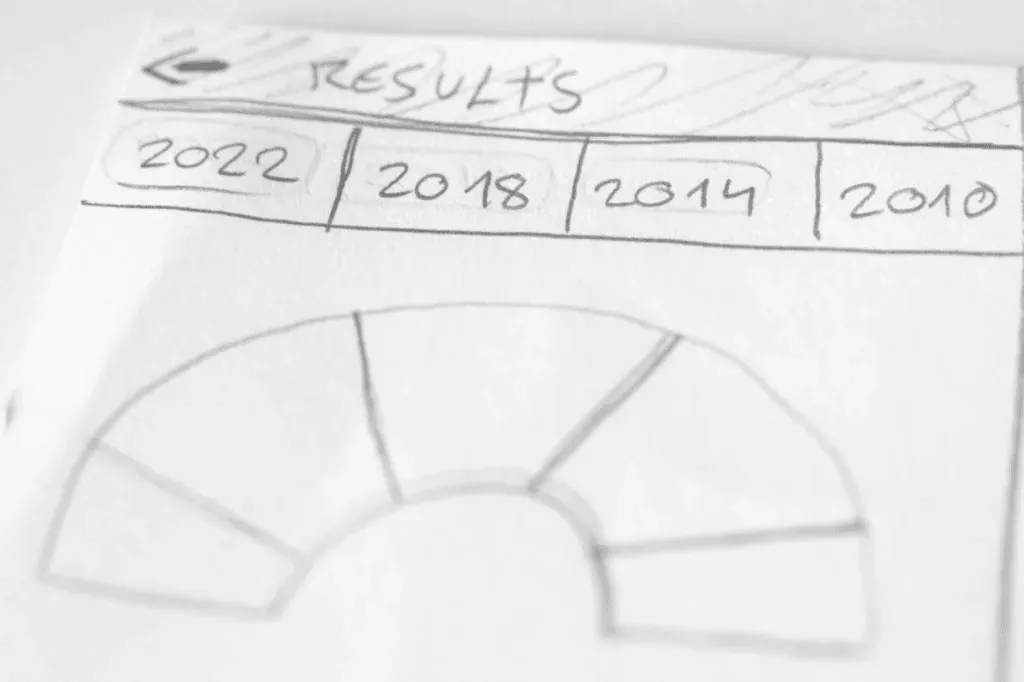
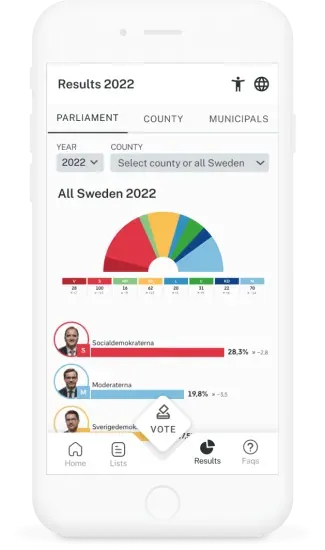
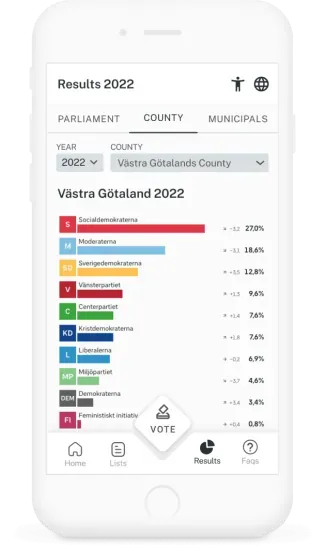
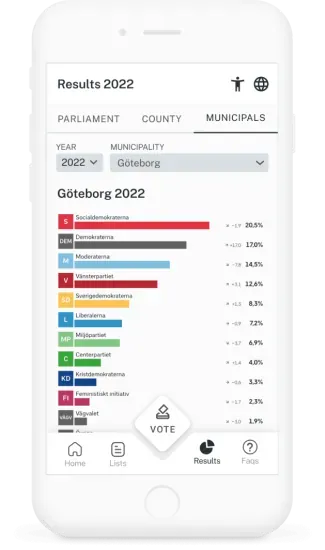
The results screens explore comparisons between elections, geographic filters and possible governing coalitions. The prototype uses example content to explore those comparisons.
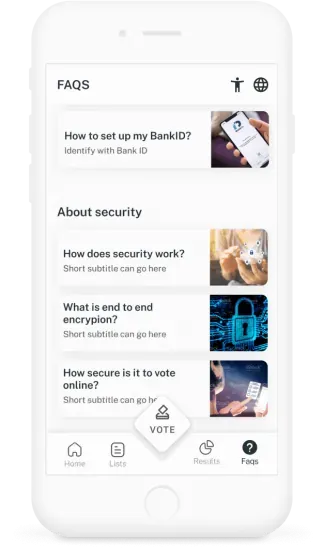
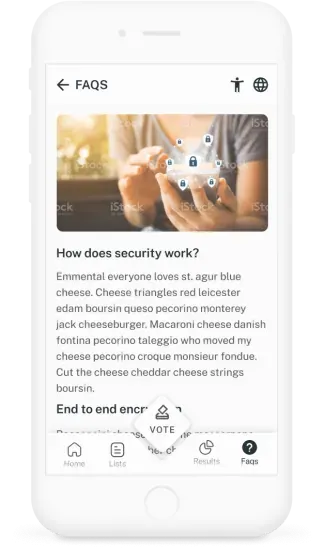
Transparency and information
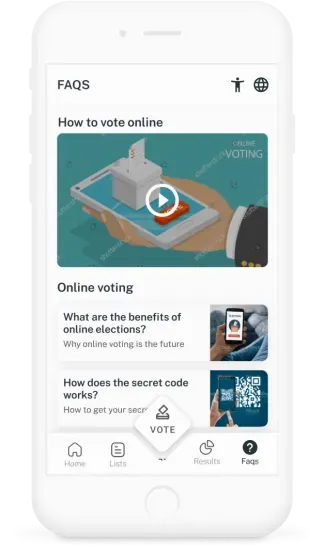
The help section brings together instructions and explanations of the proposed process. Its purpose is to make questions easier to find and answer, including uncertainty about how the system would work.
Accessibility, language and help
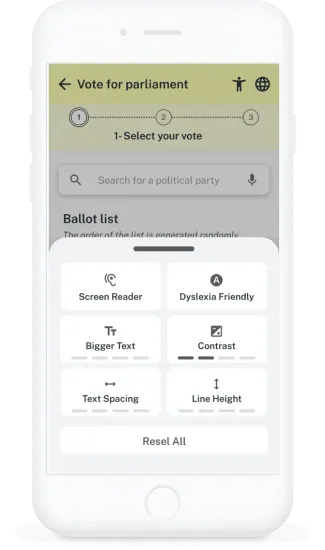
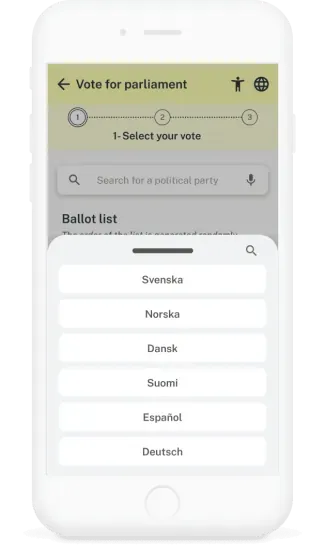
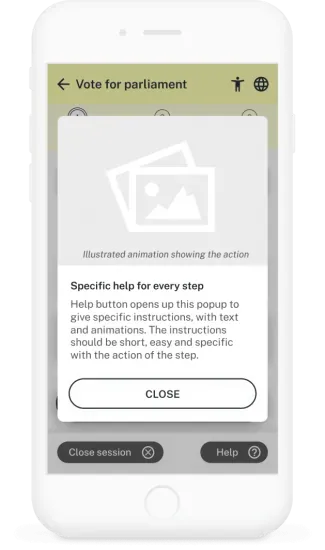
Open to everyone
I included language selection, contextual instructions and proposed accessibility controls throughout the flow. Further testing would help establish how well these controls support different needs.
Design considerations
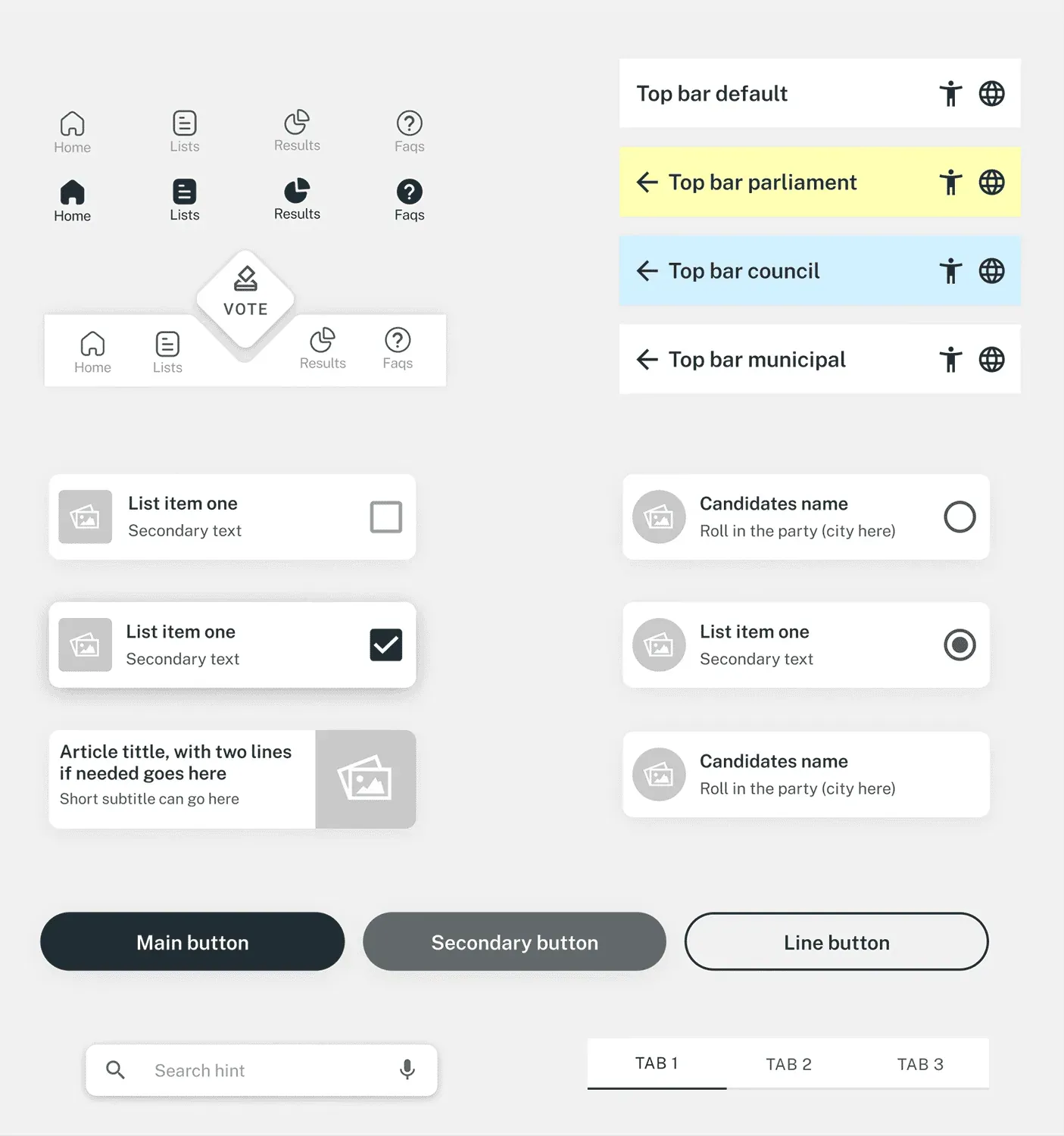
I chose a restrained black, grey and white palette to avoid giving the interface a strong party association. Colour is reserved for specific purposes, such as distinguishing elections and showing feedback.
The aim was a consistent visual hierarchy that supports the task without competing with the voting choices.
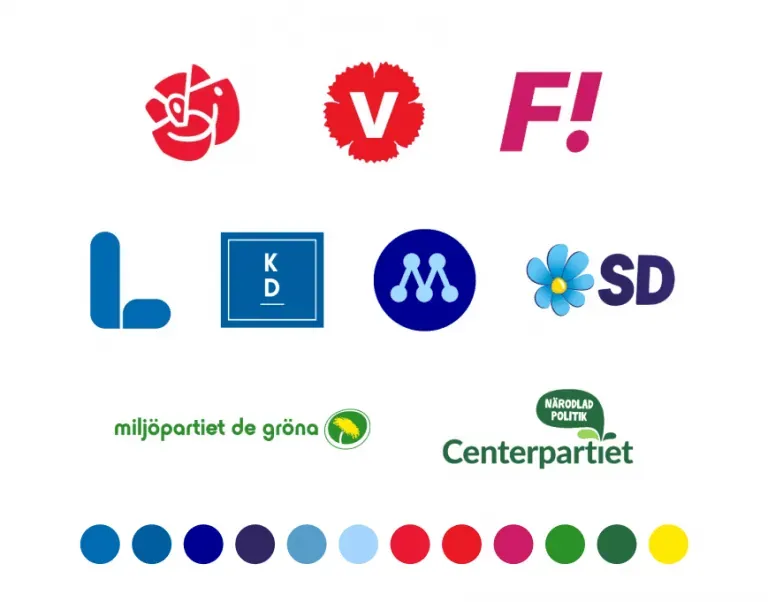
Style guide
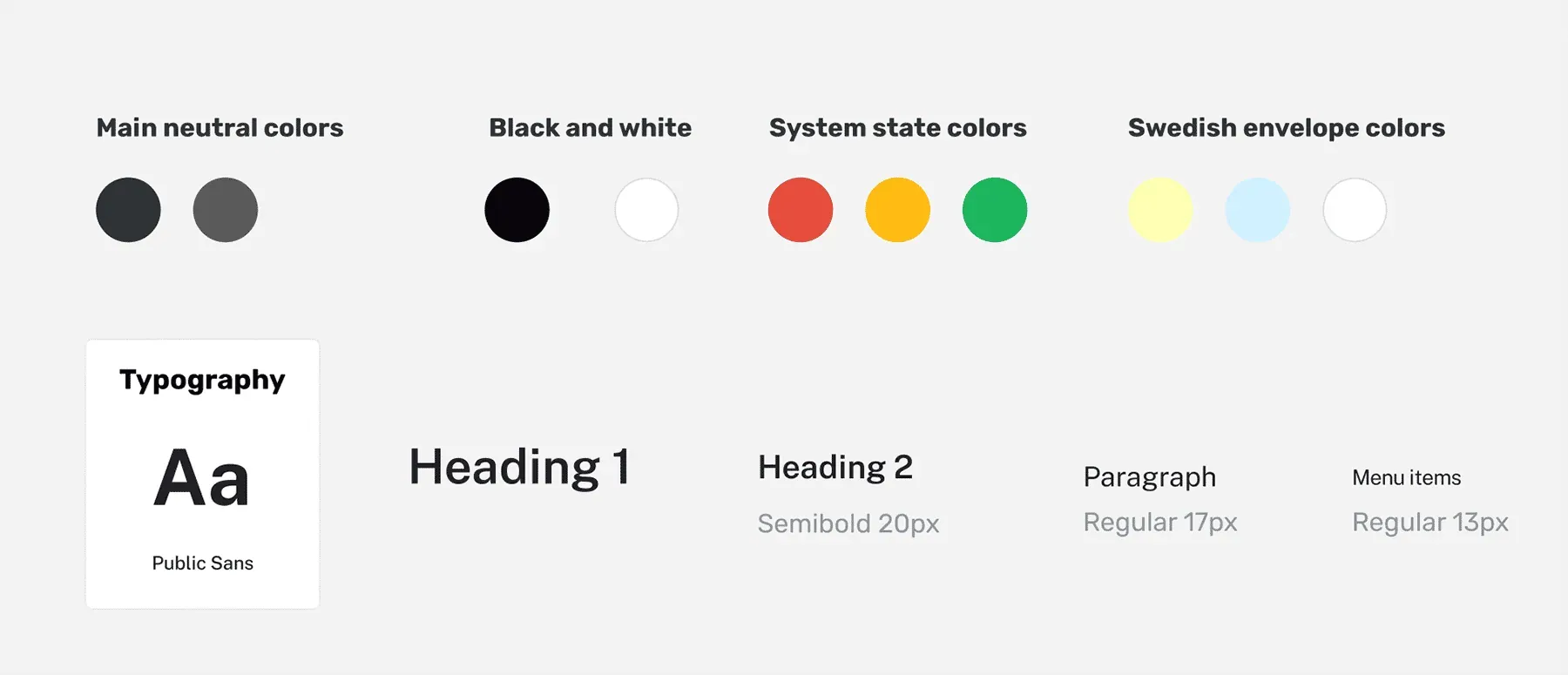
Main components
05
Tests
Usability tests, observations, next steps
User tests
I tested the prototype throughout development with people of different ages. In these sessions, some older participants read more of the instructions, while younger participants often moved directly to an action. Several points of confusion were shared across participants.
These observations helped me identify where the flow and wording needed refinement. The next iteration would focus on those shared points of confusion and a broader range of access needs.
Final conclusions
Make the idea tangible
A prototype made an abstract discussion more concrete. Participants could respond to the steps, labels and choices in front of them, rather than only to the idea of online voting.
Some seemed more comfortable with the concept after trying it. I treated that as feedback about the experience, not as evidence that online voting was secure or ready to implement.
A special challenge
This project made me think differently about usability. A confusing step in a voting flow could prevent someone from completing an important civic task.
It reinforced the need to consider people who struggle with the interface, alongside those who complete it easily.
Keep the scope clear
I considered biometric identification during ideation, then focused the prototype on a simulated BankID flow. Further identification options would need their own research and assessment, rather than being assumed to improve the experience.
Review the interface language
I worked on the interface text from the beginning, but a real service would need specialist language review and testing. Labels and explanations must be precise while remaining understandable to people with different reading and language needs.
What are the next steps?
The study identified further work rather than a route straight to implementation:
- Refine the flow and wording around the points of confusion
- Explore the desktop experience
- Test with a broader range of accessibility needs
- Review the proposed interactions and confirmation concepts with relevant specialists